



























How to Make a Vision Board for 2027
Six steps to a board you'll actually look at, from choosing your goals to keeping it in sight.
You can make a vision board in an evening. Here's how, from choosing your goals to keeping your board in sight.
What is a vision board?
A vision board is a collection of images and words that show what you want your life to look like. Making one asks you to decide what you actually want. Keeping it in sight reminds you of that decision on an ordinary Tuesday in March.
It can be a poster on your wall or an image on your phone. What matters is that it's specific to you and that you see it often.
Why make a vision board?
- It makes you decide. Choosing photos forces you to get specific about what you want.
- It keeps your goals in view. Seeing them every day makes them harder to forget when life gets busy.
- It makes planning more fun. An evening with photos is a friendlier way to think about your year than a spreadsheet.
Before you start: paper or digital?
Choose the one you'll actually see every day.
| Paper board | Digital board | |
|---|---|---|
| Best for | A wall you pass every day | A phone or laptop you open all day |
| You'll need | Poster board, magazines or prints, scissors, glue | Photos you've saved, and a vision board maker |
| Time | An afternoon | About 10 minutes with our maker |
| Easy to change later | Not very | Yes |
You don't have to choose only one. A digital board can also be printed as a poster.
Step 1: Choose the parts of your life that matter this year
Don't try to cover everything. Pick three to five areas where you want something to change, such as health, work and career, relationships, money, travel or home.
If you're stuck, ask what you'd want to be different this time next year. Our 110 vision board ideas can help you get started.
Step 2: Write one or two goals for each area
Write goals you can picture. "Be healthier" is hard to find a photo for. "Run a half marathon" isn't.
Realistic goals work well here. You don't need to impress anyone, and a small goal you care about will mean more than a big one you don't.
Then add one small next step for each goal: the first thing you'd actually do. If the goal is a trip to Japan, the next step might be renewing your passport. If it's running more, it might be putting your shoes by the door. A picture can keep a goal in mind, but the next step is what gets it started.
Step 3: Find photos that feel right
Search for the feeling as well as the thing. A photo of the kind of morning you want may do more for you than a picture of an alarm clock.
Pinterest and Google are good places to look. You may already have boards full of saved photos. Our guide to choosing photos for your vision board has more ideas.
Step 4: Add words
A few words can make the images more personal. Try your goals in your own words, a line you like, or a short affirmation. Browse our vision board quotes and vision board affirmations if you'd like a starting point.
Step 5: Arrange it so it feels like yours
Group photos by goal, or put the one you care about most in the middle. There's no correct layout. Stop when you like looking at it.
On paper, lay everything out before you glue anything down, so you can still move things around. In a digital maker, you can drag things around for as long as you like.
Vision board examples
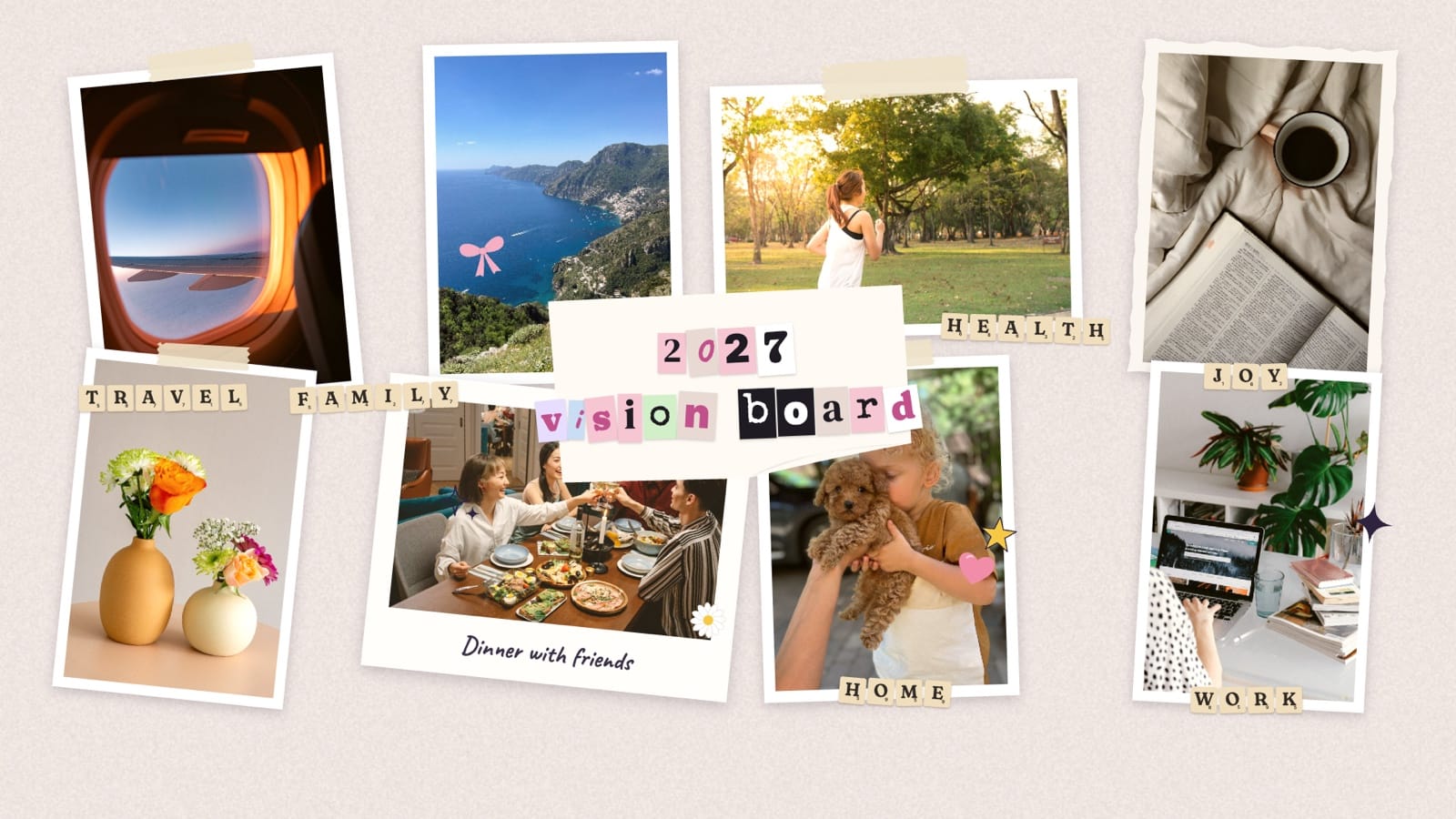
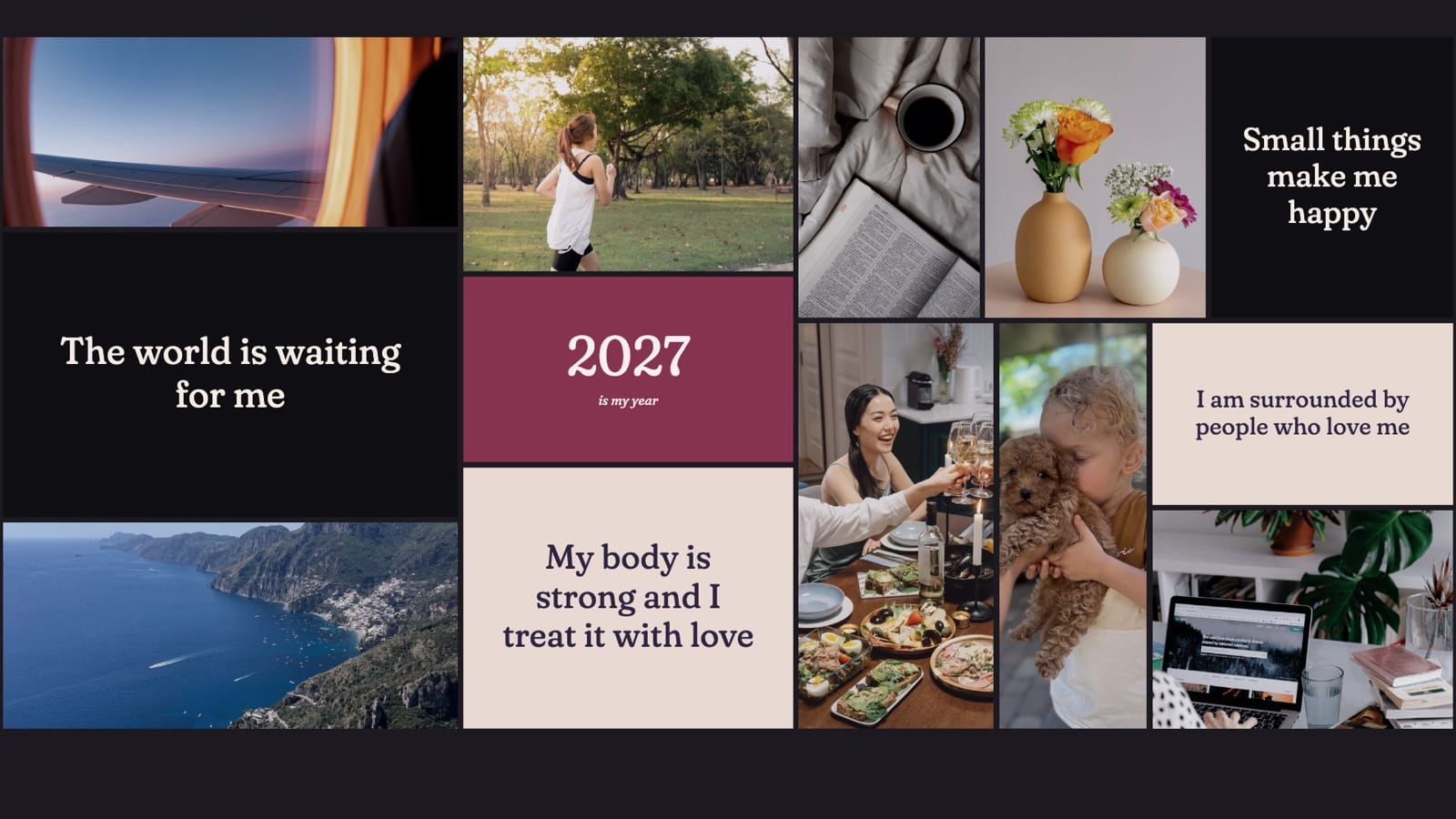
Here are the same photos in each of our vision board maker’s four looks.

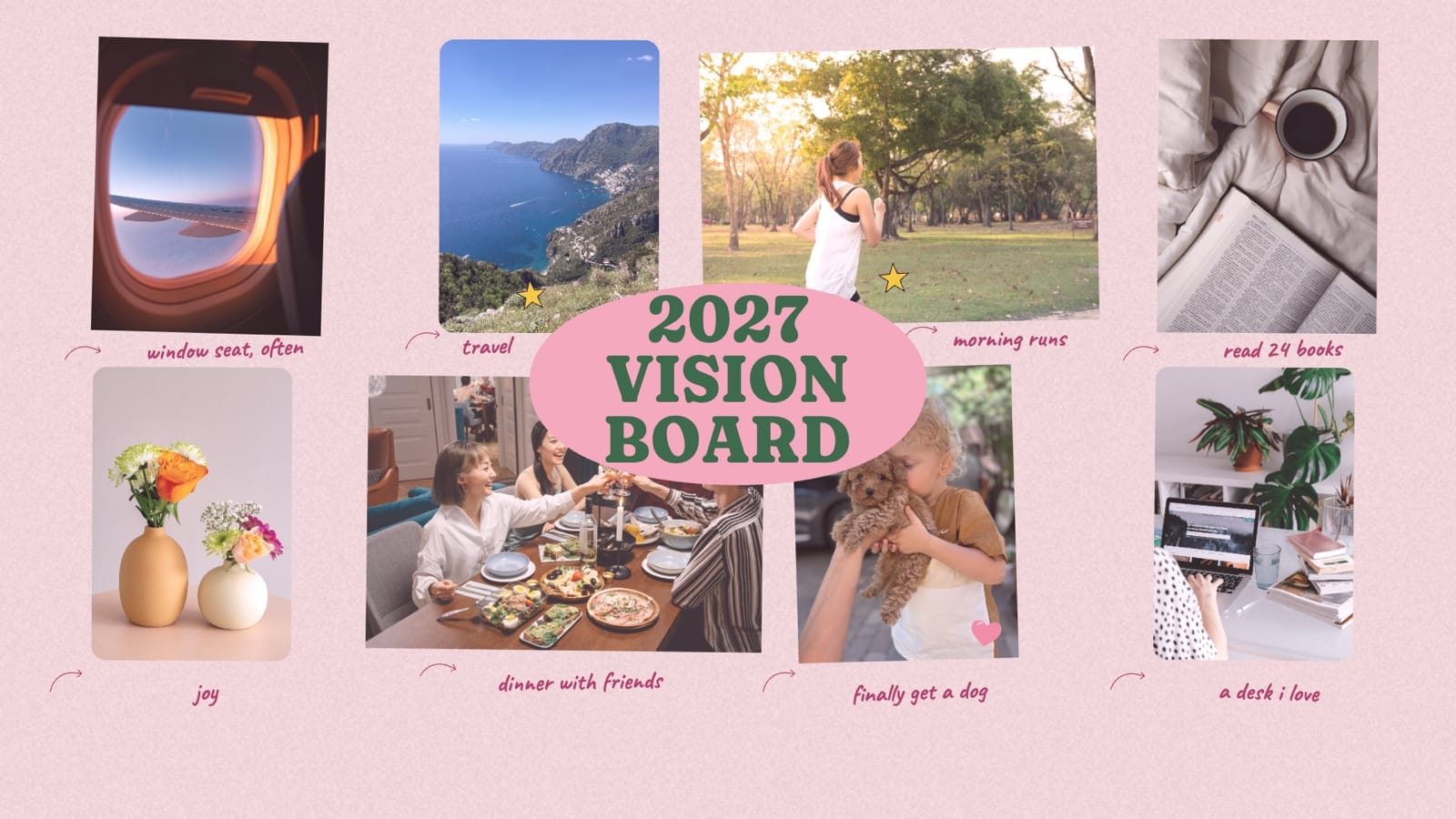
Want a starting point for one goal? Browse our free vision board templates for travel, health, money, home and more.
Step 6: Put it where you'll see it
This is the step people skip, and a board you never see can't remind you of anything. Set it as your phone or laptop wallpaper, or hang it near your desk or mirror.
Look at it again every few months. Change what no longer fits. It's yours, and you're allowed to want different things by June.
Three things that make a board harder to use
Too many goals: a crowded board is hard to take in, so keep the ones you care about most.
Other people's goals: if you only want something because you feel you should, leave it off.
Nowhere to see it: a board in a drawer or a forgotten folder won't remind you of anything.
For more ideas, read our vision board tips.
Making a vision board with kids
Keep it simple and let them lead. Our guide to vision boards for kids has ideas for different ages.
Common questions
What should I put on a vision board?
Photos that show your goals, a few words in your own voice, and anything that reminds you why a goal matters.
How many pictures should a vision board have?
There’s no set number. Choose enough to cover your goals without crowding them. The example boards above use eight photos for six goals.
When should I make a vision board?
Whenever you're ready. The new year is a natural moment, but any fresh start works.
How many goals should a vision board have?
Few enough that you can remember them. Three to five areas, with one or two goals in each, is a good place to start.
Does a vision board work?
It won't achieve your goals for you. Research on vision boards themselves is limited, so be wary of big promises. What a board can do is help you get clear about what you want and keep that in view while you do the work. It works best alongside a next step for each goal, because picturing a goal isn't the same as planning for it.
How often should I update my vision board?
Whenever your goals change. A good habit is to look through it every few months and make a fresh one each year.
Can I make a vision board on my phone?
Yes. Our vision board maker works on your phone: add your photos, pick a board and save it as your wallpaper.
Can I make a vision board for free?
Yes. Our vision board maker is free and doesn't need an account. Use your own photos and download wallpapers for your phone and laptop, or a poster to print.
